
RSPS Events & Giveaways – Discover What’s Happening on RuneRank
By RuneRank · Published 18 Oct 2026 · Updated 18 Oct 2026
A boss event gives you a reason to log in with friends. A tournament introduces new rivals, and a server launch can be the start of a fresh adventure. The tricky part is hearing about these plans before they're over.
The RuneRank Community Calendar brings RSPS events into one place. Browse without an account, see what's coming up, and follow the communities hosting activities that interest you.
What can you find on the calendar?
Look for PvM and boss events, PvP tournaments, Double XP and skilling activities, giveaways, seasonal events, server launches and other community events. What's available depends on the current schedule.
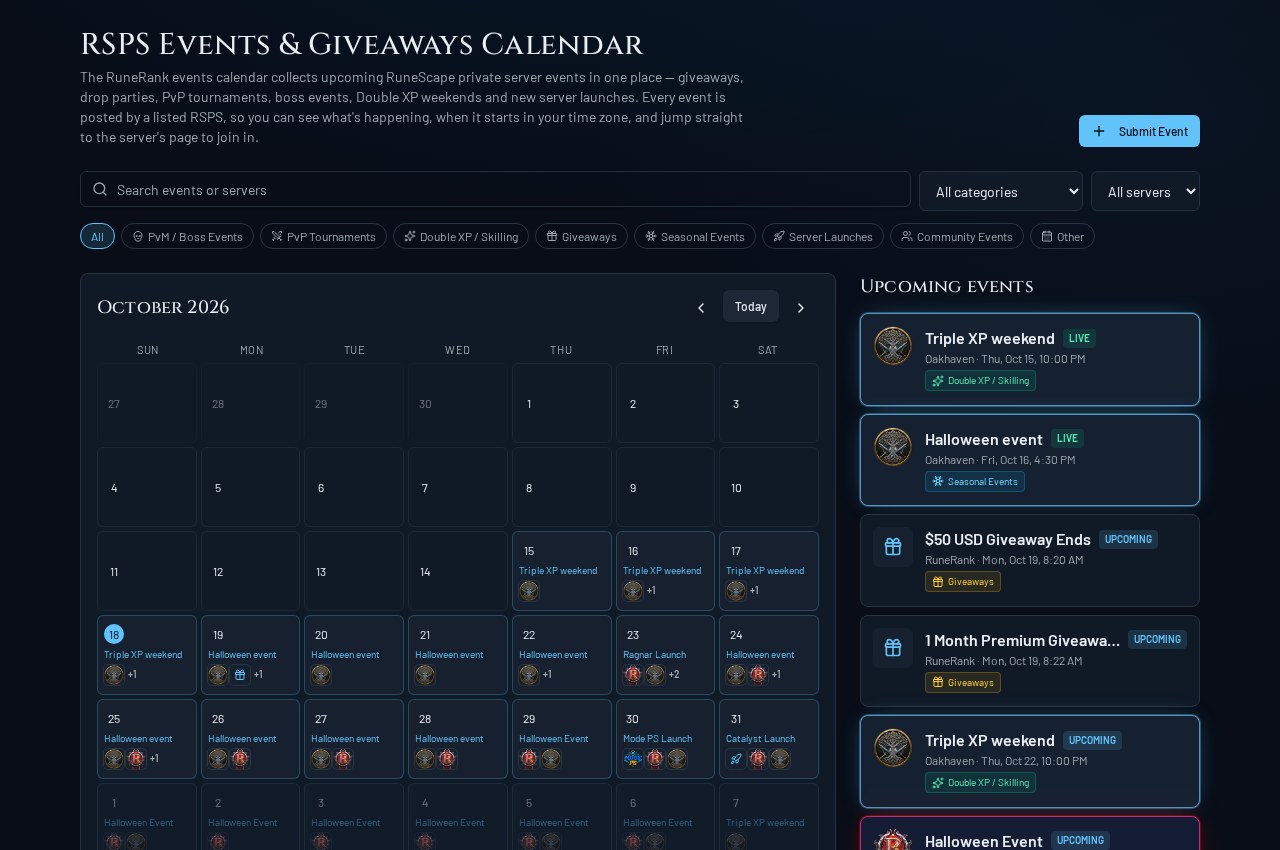
Our screenshot from 18 October 2026 shows Oakhaven's Triple XP weekend and Halloween event, RuneRank giveaway deadlines, and announced launches for Ragnar, Mode PS and Catalyst. It's a snapshot of the calendar on that date; open the current entries before making plans.
Seasonal events can span several days. Giveaway entries mark their closing dates, while launch entries help you discover a server before its announced opening.
How to find upcoming RSPS events
- Open the Community Calendar and browse the upcoming list.
- Search for an event or server name, or choose a category such as PvP Tournaments or Giveaways.
- Pick a server to follow one community, or leave the filter on All servers to discover something new.
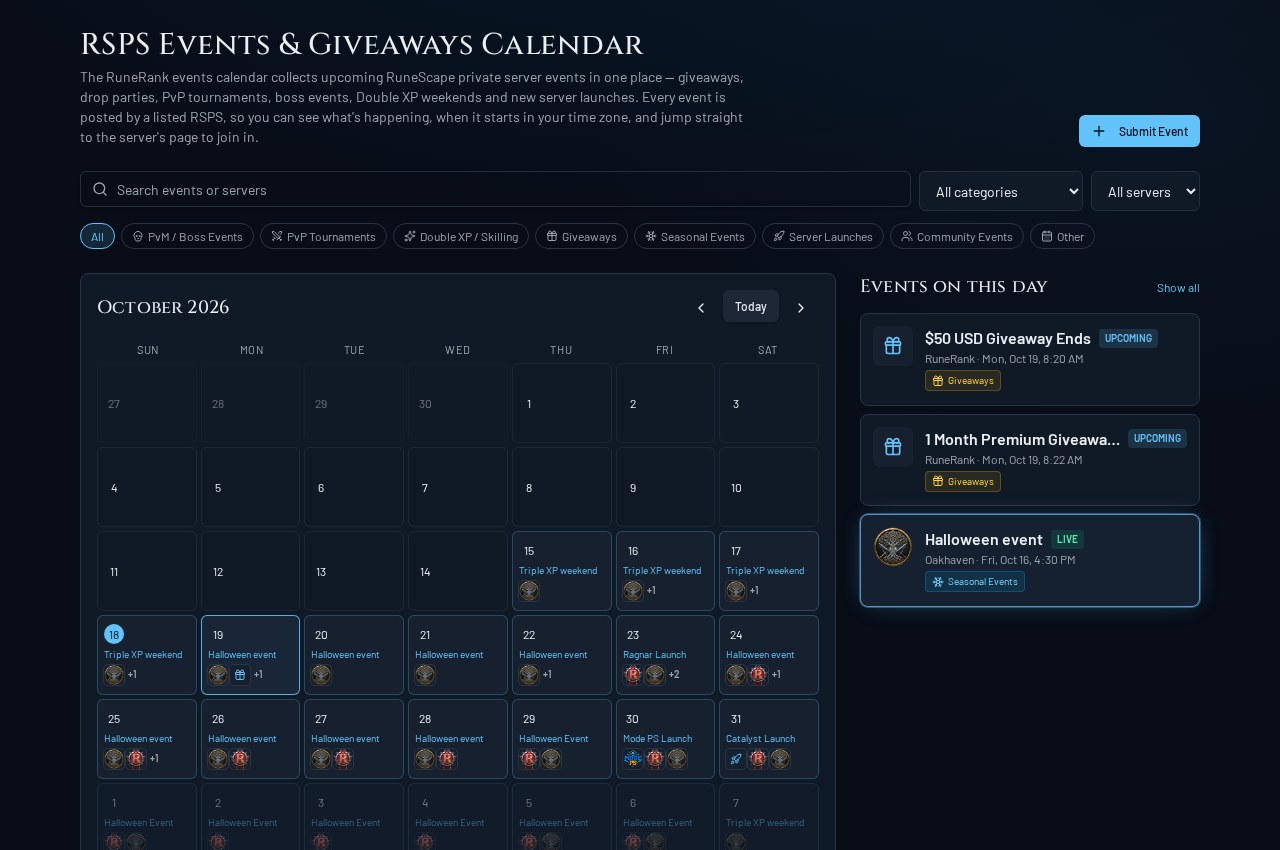
- Select a day to see its entries. Busy days show an additional-entry count so titles stay readable.
- Open an entry to check the host, timing and description.
Times display in your local time zone, so yours may differ from the screenshot. Selecting a day also shows longer seasonal activities alongside shorter events and giveaway deadlines.
From an event to the community hosting it
Server events link to the host's RuneRank listing. Read about the community, then use its official website or Discord link, where provided, to find joining instructions.
Opening a calendar entry does not enter you into an event or giveaway. Check the requirements first. RuneRank giveaway deadlines take you to the giveaway area, where you can review eligibility and enter through the usual process.
New to the hosting server? Compare it with other Server Listings, and read our RSPS download and account safety checklist before installing an unfamiliar client.
How server owners can submit an event
Choose Submit Event on the calendar and sign in to manage events for a listing you own. You can also go straight to Manage Events.
Give players the details they need:
- A clear title and relevant category.
- Accurate start and end times.
- What they'll do and how to join.
- Any participation requirements.
A named boss event or specific tournament tells readers more than a vague promotional announcement. Make clear if plans are tentative, and keep your listing and joining links up to date.
The submission form applies RuneRank's scheduling and event limits. Use Manage Events to keep submissions accurate as plans develop.
How the Discord event bot fits in
RR Event Manager connects Discord to the same event system. Owners can find the optional bot invitation on Manage Events. Authorized owners can submit with /event, while /events lets players browse event information in Discord.
The bot needs the right setup and permissions in your community. If you prefer the website, the calendar works without it.
Why one community calendar is useful
You might spot a PvP tournament while looking for a skilling weekend, or discover a launch you'd otherwise have missed. Having the schedule together makes it easier to plan around the time you have to play.
For owners, a well-described activity gives players another reason to explore your community. Clear details and working joining links matter more than promotional claims; appearing on the calendar does not guarantee attendance or a ranking increase.
Explore what is happening next
Explore Upcoming RSPS Events to find something to join, or Find Your Next RSPS Server to compare the hosts. The RuneRank RSPS toplist also lets you explore servers ranked by community votes.
Find an event that interests you, check the details, and see what the community is like.